
Ubuntu Pro(旧 ESM)の通知「security updates can be applied with ESM Apps.」
Ubuntuにログインすると「7 additional security updates can be applied with ESM Apps.」と表示される
UbuntuのサーバーにSSHログインすると下記のメッセージが表示されます。
Welcome to Ubuntu 24.04.3 LTS (GNU/Linux 6.8.0-78-generic x86_64) * Documentation: https://help.ubuntu.com * Management: https://landscape.canonical.com * Support: https://ubuntu.com/pro * Strictly confined Kubernetes makes edge and IoT secure. Learn how MicroK8s just raised the bar for easy, resilient and secure K8s cluster deployment.Expanded Security Maintenance for Applications is not enabled. 0のアップデートはすぐに適用されます。 7 additional security updates can be applied with ESM Apps. Learn more about enabling ESM Apps service at https://ubuntu.com/esm
Ubuntu 24.04 は標準のセキュリティアップデートに加えて、「ESM Apps」(Extended Security Maintenance for Applications) という有償/無料登録制の追加サービスで、より多くのパッケージに長期サポートのセキュリティ修正を提供しています。
unattended-upgrades などの仕組みでアップデートをチェックした際、通常のリポジトリで提供されない追加のセキュリティ更新(ESM対象)があると検出したためです。
追加のセキュリティ更新(ESM対象)の対策
- 無視する
標準サポート期間中の Ubuntu 24.04 では、重要なセキュリティアップデートは通常リポジトリで受け取れますので、このメッセージを放置しても、OS がすぐに危険になる状態ではないです
- Ubuntu Pro に登録する
Ubuntu oneのアカウントでは、無料の Ubuntu Pro サブスクリプションを 5台まで登録可能ですので、Ubuntu oneにアカウントを登録して利用する
- メッセージを非表示にしたい場合
motd-news を無効化します。
sudo sed -i 's/ENABLED=1/ENABLED=0/' /etc/default/motd-news
今回は、Ubuntu oneにアカウントを登録して、追加のセキュリティ更新する方法は紹介します
Ubuntu oneのアカウント登録して、追加のセキュリティ更新する
Free Personal Tokenを取得する
Ubuntu oneのアカウントを取得していない場合は以下のURLより新規にアカウントを取得します。
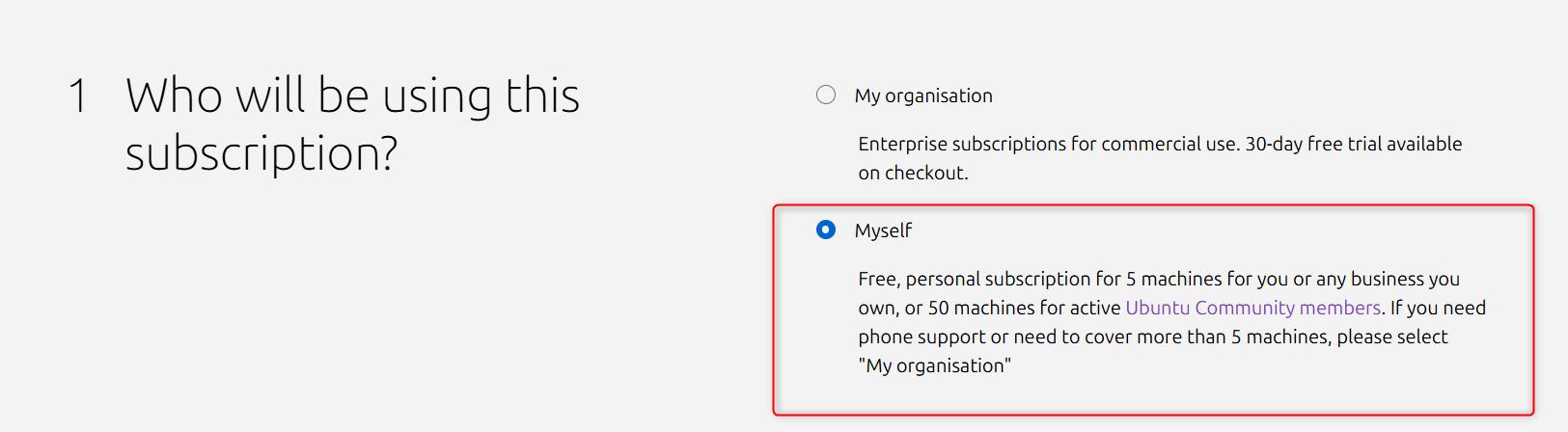
Ubuntu Proでは、個人の場合は無料で利用できるので、「Myself」を選択すると無料で利用できるので、Free Personal Tokenを所得します
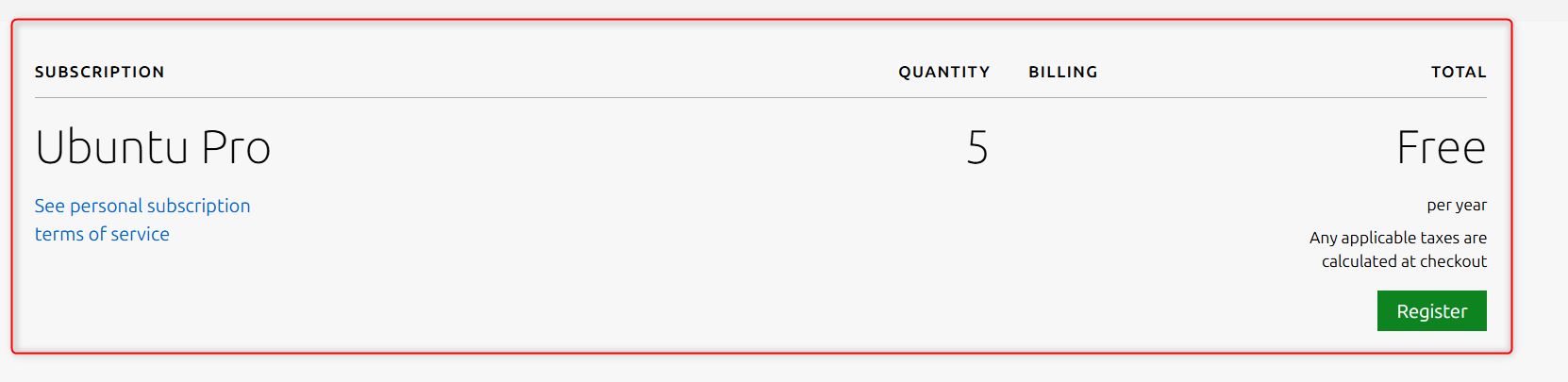
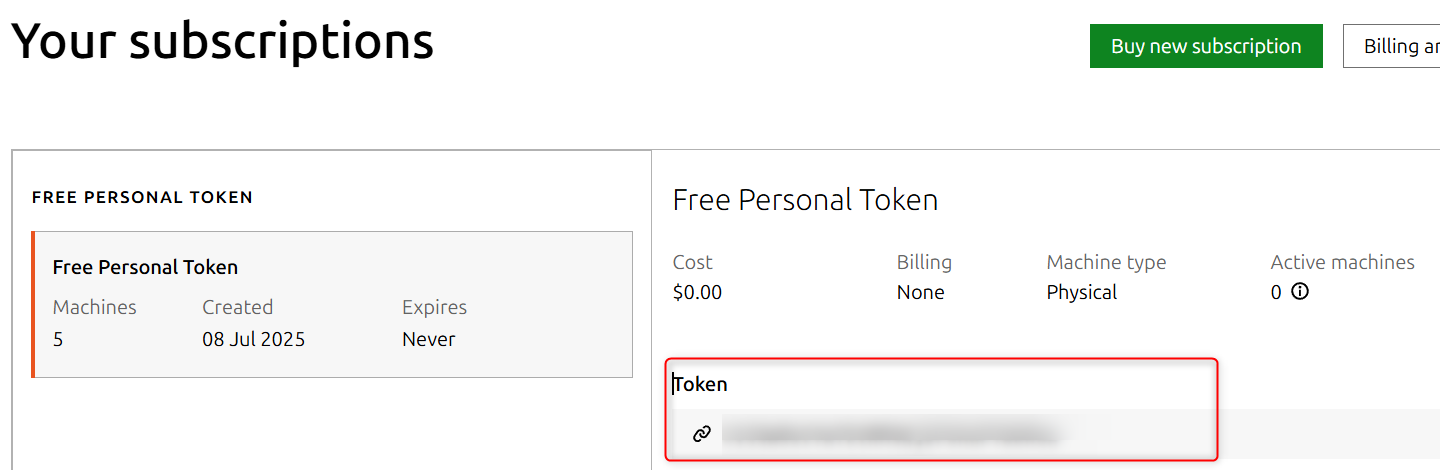
「Your subscriptions」の画面で、Free Personal Tokenが確認できるので、トークンをメモします
サーバーにFree Personal Tokenを登録する
Ubuntu 24.04 のサーバーにログインして、Free Personal Tokenを登録します。使用するコマンドは「sudo pro attach <YOUR_TOKEN>」
$ sudo pro attach <YOUR_TOKEN>
Enabling Ubuntu Pro: ESM Apps
Ubuntu Pro: ESM Apps enabled
Enabling Ubuntu Pro: ESM Infra
Ubuntu Pro: ESM Infra enabled
Enabling Livepatch
Livepatch enabled
This machine is now attached to 'Ubuntu Pro - free personal subscription'

SERVICE          ENTITLED  STATUS       DESCRIPTION
anbox-cloud      yes       disabled     Scalable Android in the cloud
esm-apps         yes       enabled      Expanded Security Maintenance for Applications
esm-infra        yes       enabled      Expanded Security Maintenance for Infrastructure
fips-updates     yes       disabled     FIPS compliant crypto packages with stable security updates
landscape        yes       disabled     Management and administration tool for Ubuntu
livepatch        yes       enabled      Canonical Livepatch service
realtime-kernel* yes       disabled     Ubuntu kernel with PREEMPT_RT patches integrated
usg              yes       disabled     Security compliance and audit tools

 * Service has variants

NOTICES
Operation in progress: pro attach

For a list of all Ubuntu Pro services and variants, run 'pro status --all'
Enable services with: pro enable <service>

     Account: xxxxx@example.com
Subscription: Ubuntu Pro - free personal subscription
ESM Apps を有効化します
$ sudo pro enable esm-apps
適用される更新の確認してます。
$ sudo apt update
$ sudo apt list --upgradable
アップデートを適用します。
$ sudo apt upgrade
\ 最新情報をチェック /

